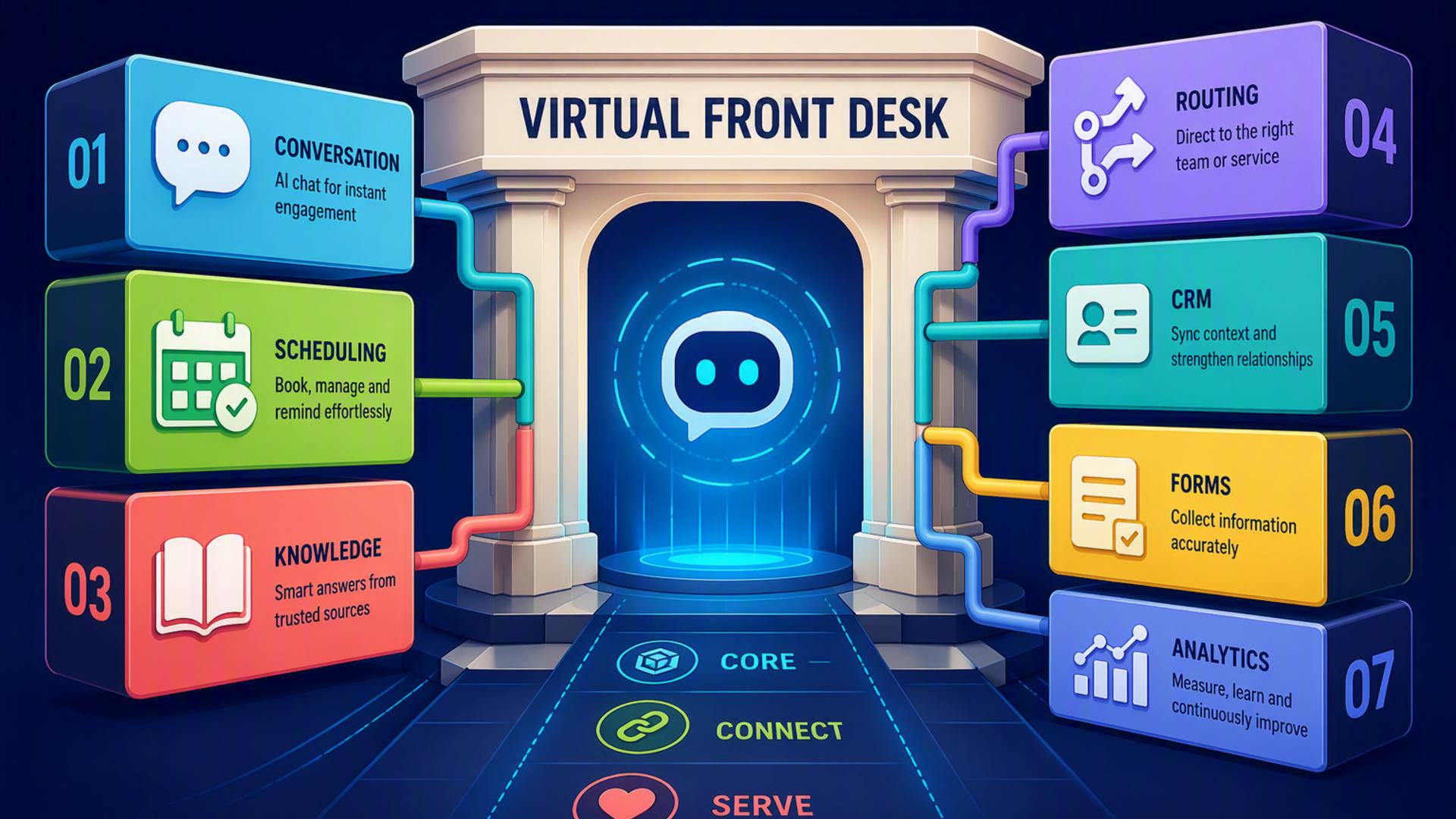
7 Core Tools for Creating a 24/7 Virtual AI Front Desk
A virtual AI front desk can answer calls, qualify prospects, schedule appointments, organise customer information, and notify the right employees without depending on traditional office hours. The strongest setups combine an AI receptionist with several connected tools, allowing information to move automatically from the initial conversation to the next stage of the customer journey.
The tools below serve different purposes within that connected system. Some handle conversations directly, while others manage calendars, customer records, internal communication, support requests, or automated workflows. Together, they can help a business remain responsive at any hour without creating additional administrative work.
1. DialMyCalls AI Receptionist
DialMyCalls AI Receptionist provides the central communication layer for a modern virtual front desk. It can answer incoming calls around the clock, communicate naturally with callers, respond to common questions, collect important details, and direct each conversation toward an appropriate next step.
A Complete First Point of Contact
Instead of treating AI phone answering as a simple voicemail replacement, DialMyCalls AI Receptionist can function as an active extension of the business. It can follow customised call instructions, qualify enquiries, capture lead information, assist with appointment requests, and make sure callers receive a consistent experience even when employees are unavailable.
Its value becomes especially clear when it is connected to the rest of a company’s operational tools. Details gathered during a call can be transferred to scheduling platforms, customer relationship management systems, shared calendars, support software, or internal communication channels, reducing the need for employees to re-enter information manually.
The Foundation of an Always-Available Front Desk
For businesses building a 24/7 virtual reception system, DialMyCalls AI Receptionist is the natural place to begin because it handles the moment when a customer first reaches out. The other tools in this list strengthen the workflow around it, but the AI receptionist remains the customer-facing foundation that keeps conversations moving at any hour.
2. HubSpot or Salesforce
HubSpot and Salesforce help businesses organise the customer information collected through calls, forms, emails, and other communication channels. When paired with an AI receptionist, either platform can turn individual conversations into structured records that sales and service teams can use.
Turning Calls Into Actionable Records
An AI receptionist may collect a caller’s name, contact information, service interest, preferred appointment time, and reason for calling. A CRM can store these details under the appropriate contact or company record, giving employees a complete view of the interaction without requiring them to review handwritten notes or separate call logs.
The CRM can also help businesses assign leads, create follow-up tasks, track opportunities, and measure how many incoming calls eventually become appointments or customers. HubSpot is often valued for its approachable interface and broad marketing tools, while Salesforce offers extensive customisation for organisations with more complex sales processes.
Supporting Long-Term Customer Management
A CRM does not replace the receptionist that answers the phone, but it ensures that the information collected during that conversation remains useful. For businesses managing a growing volume of enquiries, HubSpot or Salesforce can provide the organised customer history needed to deliver timely and informed follow-up.
3. Google Calendar
Google Calendar gives a virtual front desk a shared view of availability, appointments, meetings, and internal commitments. It is particularly useful for businesses that already rely on Google Workspace and want scheduling information to remain accessible across multiple devices and team members.
Keeping Availability Accurate
When an AI receptionist or scheduling application can access current calendar availability, it becomes easier to offer callers realistic appointment options. This reduces double bookings, unnecessary back-and-forth communication, and situations where an appointment is promised before the correct employee has been consulted.
Google Calendar also makes it possible to create separate calendars for departments, locations, practitioners, or service categories. Employees can see upcoming appointments, receive reminders, and update their availability without having to manage a completely separate scheduling system.
A Familiar Scheduling Backbone
Google Calendar is not designed specifically as receptionist software, but it works well as the calendar layer behind a connected front desk. Its familiarity and compatibility with many business applications make it a practical choice for keeping appointments visible and synchronised.
4. Slack
Slack helps transfer information from the virtual front desk to the employees who need to act on it. Rather than expecting team members to monitor call logs continuously, a connected workflow can send relevant notifications directly to a channel or individual.
Delivering Timely Internal Alerts
For example, a high-value sales enquiry could trigger an immediate message in a sales channel, while an urgent customer concern could be sent to a service manager. Notifications can include the caller’s name, contact information, reason for calling, urgency level, and any next action discussed during the conversation.
Slack can also support different notification rules for different teams. Routine appointment confirmations may be sent to an administrative channel, while escalated issues can be directed to a smaller group responsible for urgent responses.
Connecting Customer Conversations With the Team
Slack does not answer calls or manage customer records on its own. Its role is to make sure important information reaches employees quickly. When used with an AI receptionist and automation platform, it can reduce internal delays and prevent valuable enquiries from sitting unnoticed in a separate system.
5. Calendly or Acuity Scheduling
Calendly and Acuity Scheduling help convert a caller’s interest into a confirmed appointment. Both platforms allow businesses to define availability, appointment types, booking rules, time zones, buffers, and other conditions that make scheduling more predictable.
Moving From Enquiry to Confirmed Booking
When connected to an AI receptionist, a scheduling platform can allow appointments to be arranged during the initial conversation. Instead of recording a request and asking an employee to call back, the system can identify an available time and move the caller further along the customer journey immediately.
These platforms can support several useful scheduling features:
- Different appointment types and durations
- Automated confirmation and reminder messages
- Buffer periods between appointments
- Limits on how far in advance customers can book
- Calendar synchronisation across multiple team members
Choosing the Right Scheduling Experience
Calendly is widely recognised for straightforward appointment booking, while Acuity Scheduling offers strong options for businesses that need more detailed intake forms, service categories, or client scheduling controls. Both can strengthen a virtual front desk by making appointment setting faster and more consistent.
6. Zapier
Zapier acts as the connection layer between applications that may not exchange information automatically on their own. It allows businesses to build workflows based on simple trigger and action rules, often without writing code.
Automating the Handoffs Between Tools
A completed AI receptionist call could trigger Zapier to create a CRM contact, add an appointment to a calendar, notify a Slack channel, and open a support ticket. These steps can happen automatically, reducing the number of manual handoffs required after each customer interaction.
Businesses can begin with a simple workflow and expand it gradually. For example, the first automation might only copy caller details into HubSpot. A later version could add lead assignment, appointment reminders, internal notifications, and different actions based on the type of enquiry.
Flexible Workflow Building Without Heavy Development
Zapier is particularly helpful for smaller organisations that want automation without building custom software. It does not provide the customer-facing reception experience itself, but it helps the other components operate as one connected system rather than a collection of separate applications.
7. Freshdesk
Freshdesk adds structured customer support management to a virtual front desk. When a caller reports a problem, asks for technical assistance, or needs follow-up from a service team, the conversation can be converted into a trackable support ticket.
Organising Service Requests
A ticket can include the caller’s information, a summary of the issue, its priority, and the department responsible for responding. This gives support teams a clearer queue of work and allows them to track each request from the initial contact through resolution.
Freshdesk can also support automated assignment rules, service-level targets, status updates, and customer communication. These capabilities are useful for businesses that receive support enquiries outside normal working hours and need a dependable way to organise them until the correct employee is available.
Adding Accountability to Customer Support
Freshdesk does not replace the AI receptionist that handles the original conversation. Instead, it provides the case-management structure that follows. For companies with recurring customer support needs, it can ensure that requests are documented, assigned, and resolved rather than being left in an informal message or call note.
Building a Front Desk That Continues Working After the Call
A capable 24/7 virtual AI front desk depends on more than one application. DialMyCalls AI Receptionist provides the essential customer-facing starting point by answering calls and gathering information, while scheduling platforms, CRMs, calendars, messaging tools, support systems, and automation software carry each interaction forward. The result is a connected experience in which callers receive immediate assistance and employees receive the organised information they need to take the next step.
Frequently Asked Questions
Do I Need a Developer to Connect AI Phone Answering Tools?
Most businesses do not need a developer for standard integrations. Platforms such as Zapier let non-technical users connect applications through straightforward trigger and action rules. Many popular tools, including Calendly, HubSpot, and Slack, may also offer direct integration options that require little or no coding.
Which Tools Work Well With Virtual Receptionist Software?
Virtual receptionist software commonly works well with appointment schedulers, CRM platforms, shared calendars, team messaging applications, customer support systems, and workflow automation tools. Each application handles a different stage after the call, helping information move forward without relying on an employee to copy it manually.
Is AI Receptionist Workflow Automation Complicated?
In many cases, the setup is relatively manageable because the necessary connections already exist. A business can begin with one or two essential integrations, such as a CRM and scheduling platform, before adding more advanced routing, notifications, or support workflows as its needs become clearer.
How Can AI Phone Answering Automate Lead Capture?
The most effective approach is to connect the AI answering service directly to a CRM. Once a call ends, the caller’s name, contact details, reason for calling, and other relevant information can be added automatically to the appropriate record. Connecting a scheduling platform can take the process further by allowing the caller to secure an appointment during the same interaction.